
AI Anime
Picker SoftComics
3.87.00 Reviews
- Version
- 1.62
- Installs
- 50.00K
- Age Rating
- Teen
Screenshots
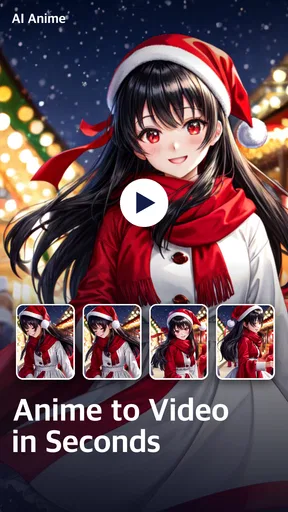
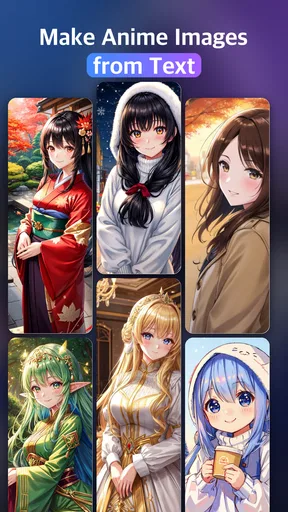
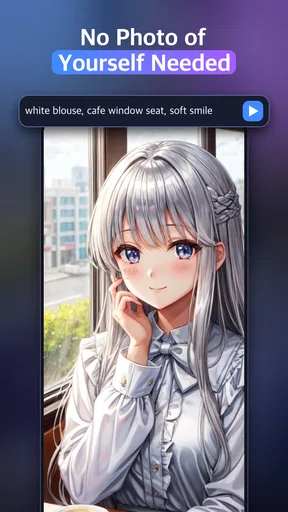
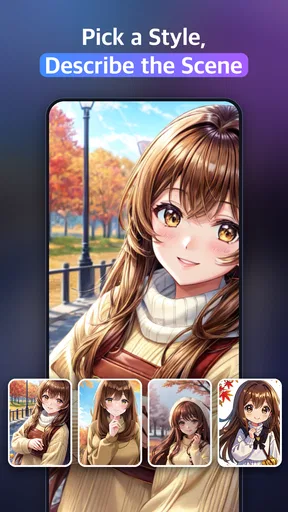
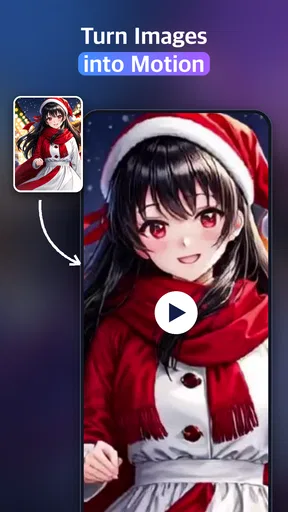
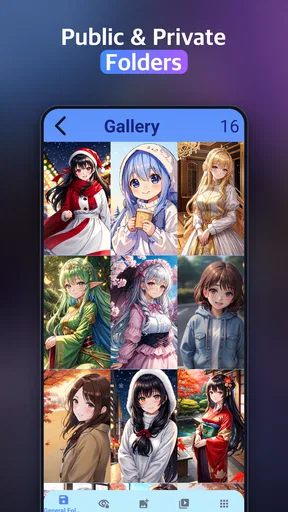
Our Review of AI Anime
 Analysis by Appyee
I like the idea behind AI Anime because it turns a simple creative prompt into a visual starting point. Rather than needing to draw a character from scratch, you can describe what you want and see what the app makes of it. That makes it appealing when I have an image in mind but not the skills or patience to build it by hand. It is a playful tool, though I would approach it as a source of experiments and inspiration rather than a dependable illustration studio.
What it is like to use now
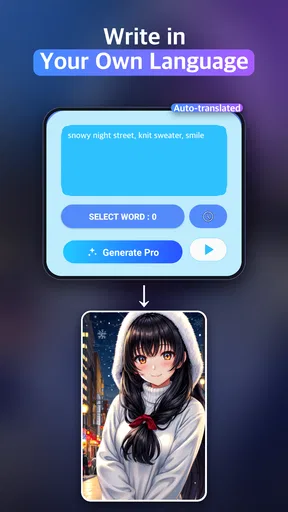
AI Anime is a free comics-category app from Picker Soft, with a Teen content rating. Its basic appeal is easy to understand: write a description, then let the app generate an anime-style image. I can imagine using it to explore character concepts, make a quick visual for a chat, or see how a small change in a prompt affects the mood of a scene.
The app has a 3.6 average from 222 ratings, and it has passed 50K installs. Those figures suggest that people are trying it, but they do not tell me whether every result will suit my taste. AI-generated art is inherently variable: the same idea can lead to a striking image one moment and an awkward one the next. I would judge it by whether the process is enjoyable and whether I can get images that are useful for my own purpose.
It is free to install, while optional in-app purchases range from $2.49 to $35.99 per item. I would start with the free experience and see how often I actually use it before considering a purchase. That is especially sensible for an app whose value depends on personal taste and on how much control the image-generation process gives you.
Turning an idea into a better prompt
The most useful habit with a text-to-image app is to describe a scene in layers instead of typing a string of loosely connected keywords. I would begin with the subject, then add a setting, a mood, and a few visual details: for example, a quiet student waiting at a train station at dusk, with a red umbrella and a thoughtful expression. That gives the generator a clearer direction than simply asking for “an anime student.”
When a result misses the mark, I would change one part of the prompt at a time. If I change the character, setting, lighting, and style together, I cannot tell what helped. Keeping most of the description steady while adjusting one detail makes the process more deliberate and can reveal which words the app responds to well. It is a small workflow improvement, but it turns random tapping into a creative exercise.
I would also keep prompts focused. A description packed with competing colors, moods, props, and story ideas can give the image too many priorities. For a profile picture, I would emphasize the face, expression, and background simplicity. For a fictional scene, I would put the action and atmosphere first. The right prompt depends on what I want to do with the finished image, not just on how elaborate the idea sounds.
Creative uses, limits, and the right expectations
I’d use this section to weigh the app’s text-led image making against tools that offer hands-on drawing or editing, so you can decide whether experimentation or precision matters more to you. I’d also keep one practical habit in mind: save the wording behind an image you like, then adjust a single detail when exploring variations; that makes the process easier to learn and repeat.
Where it fits in an anime-art toolkit
Compared with drawing apps, this kind of generator is better for getting a fast visual concept than for making precise edits. A drawing app gives me direct control over lines, anatomy, and small corrections, but it asks for more time and skill. An AI image tool can provide a quick interpretation of a description, yet I may have to accept details I did not ask for or try again when the composition feels off.
It also serves a different purpose from browsing finished anime art. Browsing is useful when I want to find references or enjoy work made by other artists; prompt-based generation is more personal because I can start with my own scene. But it is not a substitute for studying reference material or commissioning a specific piece when exact likeness, consistency, or a carefully directed result matters.
A practical everyday use would be making a small set of character concepts before writing a story. I might create an image for a reserved lead character, then try a different outfit or setting to explore the tone. Even if none of the images is final, the process can help me decide what kind of character I want to write. I would save the prompt that produced the most useful result so I can build on the idea rather than trying to remember what I typed.
For casual sharing, I would treat generated images as conversation starters, not polished commissions. A friend might enjoy seeing a playful anime interpretation of an original character, but someone who needs a consistent character design across multiple scenes may find the process frustrating. Repeating a description does not necessarily guarantee that every image will preserve the same face, clothing, or proportions, so I would not plan a comic around continuity without checking the results carefully.
Who should try it—and who may prefer another option
I think the app is most promising for anime fans who enjoy experimenting, people who want a quick visual spark for a story, and casual creators who are comfortable with a result being an interpretation rather than an exact match. It can also suit someone who wants to explore an idea before investing time in drawing it. The fun is partly in testing descriptions and seeing what comes back.
I would skip it if I needed dependable control over every feature, a professional production workflow, or an exact portrait of a real person. In those cases, a conventional illustration tool or a human artist is likely to be a better fit. I would also think twice if I only want a single, highly specific image and have little interest in experimenting; a generator can take patience when the first attempt does not match the mental picture.
One useful trade-off is speed versus precision. A generated image can give me something to react to quickly, but corrections may mean rewriting the prompt and trying again rather than selecting a single feature to repaint. I would use the app early in a creative process, when unexpected ideas are welcome, and switch to a more controllable tool once I know exactly what I want.
What to check before spending or sharing
Because purchases are available inside the app, I would pay attention to what the free experience lets me do before buying anything. The listed purchase range is broad enough that I would not assume every paid option is equally useful. I would decide what I actually need—more opportunities to create, or some other paid benefit shown in the app—then compare that need with the price presented at the point of purchase. There is no reason to spend just because a promising image took a few attempts.
Before sharing a result, I would inspect it at full size rather than judging only the small preview. Tiny errors in hands, accessories, or background details can be easy to miss at first glance. If the image is meant for a profile or post, I would also consider whether the crop preserves the main subject and whether the finished image communicates the mood I intended. A quick check can save an otherwise good idea from looking careless.
I would be thoughtful about the material used as inspiration, too. A prompt describing an original character or a general anime mood is a straightforward way to experiment. If I am working from a personal photo or an identifiable person, I would think about whether I am comfortable using that image in a generation app and sharing the result. That is a sensible privacy habit for creative tools generally, not a claim about a particular policy.
Version history and what existing users should expect
The app was released on May 16, 2023, and its current version is 1.62. That gives existing users a concrete point of reference when checking whether they have the latest build, but a version number alone does not tell me what changed in each update. I would not assume that a particular feature, improvement, or interface change arrived in a specific release without checking the app itself.
For someone who already uses it, the practical question is whether the current experience still matches their workflow: can they get images they enjoy, and is the process worth repeating? If an update changes how prompting or paid options appear, I would review those screens before continuing with an old routine. For a new user, the release history is less important than trying a few carefully written prompts and seeing whether the results suit their taste.
The app’s minimum operating system is Android 8.0. That matters if I am installing it on an older Android device: I would check the device’s system version first, rather than assume that any phone capable of running other image apps can run this one. I would also leave room for the possibility that image generation feels different across devices or over time, and base my decision on the experience I actually get.
A balanced recommendation
AI Anime is best approached as a low-pressure way to turn written ideas into anime-inspired images. I would recommend giving it a try if you enjoy tweaking prompts and do not mind that the output may surprise you. Its appeal is not that it replaces an artist or a drawing program; it is that it can make the first visual step feel easy.
The main limitation is also part of the format: text gives direction, but it may not provide the exact control needed for a finished, consistent piece. That makes the app less suitable for strict commissions, detailed corrections, or a comic that depends on the same character looking identical in every panel. For sketches of ideas, casual creative play, or a quick image to discuss with friends, the trade-off can be worthwhile.
I would start with a simple original prompt, change one detail at a time, and keep track of the wording behind any result I like. If that process feels enjoyable, the app has room to become a handy part of an anime fan’s creative routine. If I find myself fighting the output more than exploring ideas, I would move to a tool with more direct editing control instead.
My final take
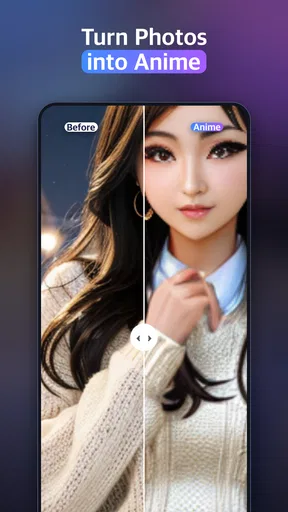
As someone who loves diving into the world of anime, I was super excited to try out the AI Anime app. This app promises to be your ultimate companion, turning your photos into anime-style artworks. Whether you're an otaku or just a casual fan, this app might just be the creative outlet you're looking for. Let's dive in and see what it's all about!
First things first, the interface is incredibly user-friendly. You don’t need to be a tech wizard to navigate through the options. As soon as you open the app, you're greeted with a simple menu that lets you upload photos directly from your gallery or take a new one on the spot.
The magic happens almost instantly. You select your image, and within seconds, you see yourself or your friends in vivid anime form. The attention to detail is impressive. The app captures the essence of anime aesthetics—big expressive eyes, bright colors, and sharp features—making it feel like you've just stepped out of a manga.
Customization Galore
One of the coolest features is the range of customization options. You can tweak everything from the style of the eyes to the color of the hair. Want to see yourself as a character in a fantasy anime or maybe a sci-fi saga? You can do that too! The app offers several filters and themes that cater to different anime genres, which adds a fun layer of creativity.
Another neat feature is the ability to adjust the intensity of the anime effect. Whether you want a subtle touch or a full-blown anime makeover, the choice is yours. I spent quite a bit of time playing around with these settings to get just the right look. It’s almost addictive!
Sharing is Caring
Once you’ve created your anime masterpiece, sharing it is a breeze. The app integrates seamlessly with social media platforms like Instagram, Facebook, and Twitter. With just a few taps, you can showcase your creations to the world. Plus, it’s a great conversation starter, especially among fellow anime enthusiasts!
For those who love to keep things within a community, AI Anime also has its own network where users can post their art, get feedback, and even participate in themed challenges. It’s a thriving community that adds a social dimension to the app.
Performance and Accessibility
Now, let’s talk about performance. The app runs smoothly without any noticeable lag, even when applying heavy filters. It’s optimized for both Android and iOS, ensuring that a wide range of users can enjoy it. Plus, the app doesn't consume too much space, so you don't have to worry about it hogging your phone’s memory.
The developers have also done a commendable job making the app accessible. There are options for voice guidance and adjustable text sizes, which is a nice touch for users with different needs. It's clear they’ve put thought into making this app usable for everyone.
Is It Worth It?
So, is the AI Anime app worth downloading? In my opinion, absolutely! It’s a delightful blend of creativity and technology, allowing you to explore the anime world in a personal and interactive way. Whether you’re looking to spice up your social media profile or just want to have fun with your photos, this app has something for everyone.
The community aspect and the customization options are standout features that keep you coming back for more. While there are in-app purchases for premium features, the free version offers plenty to enjoy without feeling like you’re missing out.
Overall, the AI Anime app is a must-try for anime fans and anyone who appreciates digital art. It’s a creative escape that’s both entertaining and visually rewarding. Give it a shot and see yourself in a new, anime-inspired light!
Verdict
Strengths of AI Anime
- Stunning graphics and animations.
- Intuitive and user-friendly interface.
- Wide range of character customization.
- Regular updates with new content.
- Engaging storyline and quests.
Limitations of AI Anime
- Requires a constant internet connection.
- In-app purchases can be costly.
- Occasional crashes on older devices.
- High battery consumption during use.
- Limited language options available.
Similar Picks in This Category
View All
WEBTOON: Manga, Comics, Manhwa
NAVER WEBTOON4.6

MangaToon: Comic & Manga
MangaToon4.3

네이버 웹툰 - Naver Webtoon
NAVER WEBTOON4.3

Tapas – Comics and Novels
Tapas Entertainment Inc.4.2

Lezhin Comics - Daily Releases
LEZHIN ENTERTAINMENT3.3

WebComics - Webtoon & Manga
WEBCOMICS HOLDINGS HK LIMITED4.4
Frequently Asked Questions
What is AI Anime, and how does it work?
AI Anime is a cutting-edge app that uses artificial intelligence to transform photos into anime-style artwork. By leveraging advanced machine learning algorithms, it analyzes your images and recreates them with unique anime aesthetics. This process is seamless and requires just a few taps on your device, making it accessible for users of all skill levels.
Is AI Anime available for both Android and iOS devices?
Yes, AI Anime is available for download on both Android and iOS platforms. Users can easily find the app on the Google Play Store for Android devices and the Apple App Store for iOS devices. Ensure your device meets the app's compatibility requirements for optimal performance.
Does AI Anime require an internet connection to function?
AI Anime does require an internet connection to process images as it relies on cloud-based AI technology. This ensures that the app can access the necessary computational power to deliver high-quality anime transformations. However, once your images are processed, you can view and share them offline.
Are there any in-app purchases or subscription fees in AI Anime?
AI Anime offers a range of features for free, but it also includes optional in-app purchases. These purchases may include premium filters, effects, or a subscription plan for additional features. Users can enjoy the core functionalities without purchasing, but premium options enhance the app experience.
What are the privacy implications of using AI Anime?
AI Anime takes user privacy seriously, ensuring that your photos are processed securely. The app typically outlines its privacy policy, detailing how your data is handled. Users are encouraged to review these terms to understand data usage and opt-out options if available, ensuring transparency and control over personal information.
